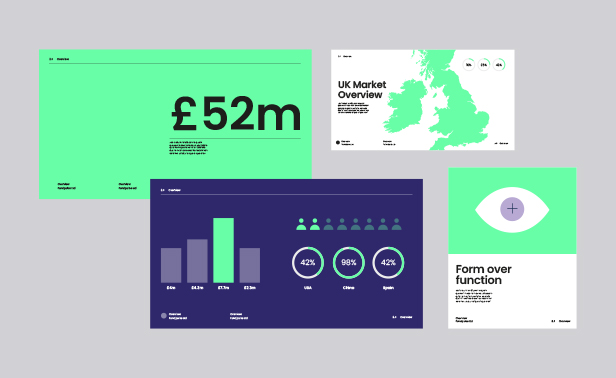
Make use of a free HTML email template designed by our experts. Designed with high-resolution images, single and double-column layouts, and full compatibility across all major email platforms. Fully tested and ready to use.
Download the HTML and images or visit Github.
Template preview
View a live preview of the template here.
Inline styling with email templates
Many email platforms lack CSS support. To ensure your HTML email renders correctly, you should always use inline styling. Below is an example of how the styling is inlined in the free template.
Table example: <table align="center" style="text-align: center; vertical-align: top; width: 600px; max-width: 600px; background-color: #ffffff;" width="600"></table>
Column example: <td style="width: 596px; vertical-align: top; padding-left: 30px; padding-right: 30px; padding-top: 30px; padding-bottom: 40px;" width="596"></td>
Heading example: <h1 style="font-size: 20px; line-height: 24px; font-family: 'Helvetica', Arial, sans-serif; font-weight: 600; text-decoration: none; color: #000000;">Heading here</h1>
Paragraph example: <p style="font-size: 15px; line-height: 24px; font-family: 'Helvetica', Arial, sans-serif; font-weight: 400; text-decoration: none; color: #919293;">Paragraph here</p>
Image example: <img style="width: 600px; max-width: 600px; height: 240px; max-height: 240px; text-align: center;" alt="Image" src="https://fullsphere.co.uk/misc/free-template/images/image-3.jpg" align="center" width="600" height="240">
Image sizes
The template’s images are designed at twice their display size to ensure sharp, high-resolution quality on Retina and high-DPI screens.
Tested on all major email clients
The template has been tested and optimised for mobile, desktop and web.

Before sending your email, it’s best to test your email configuration and DNS setup using tools like Mail-Tester. This will help ensure your DNS records are correctly set up.
Additionally, we recommend checking for spammy keywords and improving email deliverability with Mailmeteor’s Spam Checker. We’ve started using this tool ourselves to identify and exclude words that could trigger spam filters.
Once your setup is verified, test how your email renders across different clients. You can do this manually or use a tool like Litmus to test against thousands of email clients automatically.
You can learn more about email deliverability by visiting this article.
Custom built HTML templates
If you’re looking for a custom HTML template for your business, FullSphere design and build custom templates inline with your brand and business goals. Get in touch to learn more.